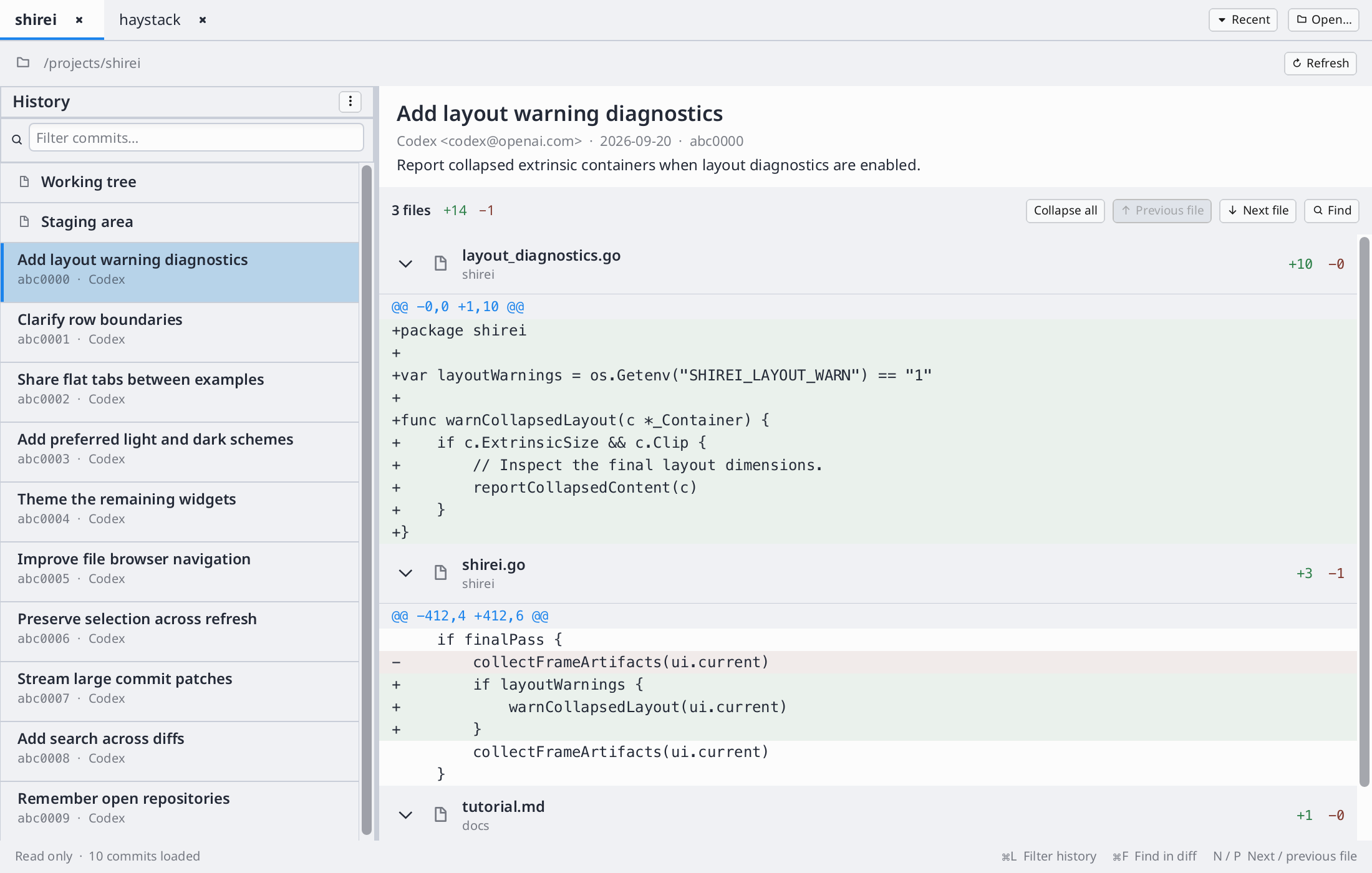

Shirei
Shirei · Cross-platform GUI for Go

The GUI framework for personal software.

Point your AI coding agent at the Shirei manual, describe the small tool you want, and have a native app built for you in minutes. Small binaries, quick builds, and easy to share across operating systems.

≈10 MB native apps Fast builds, no wasted disk space macOS · Windows · Linux · iOS · Android
Sunbelt timezone overlap app in dark mode
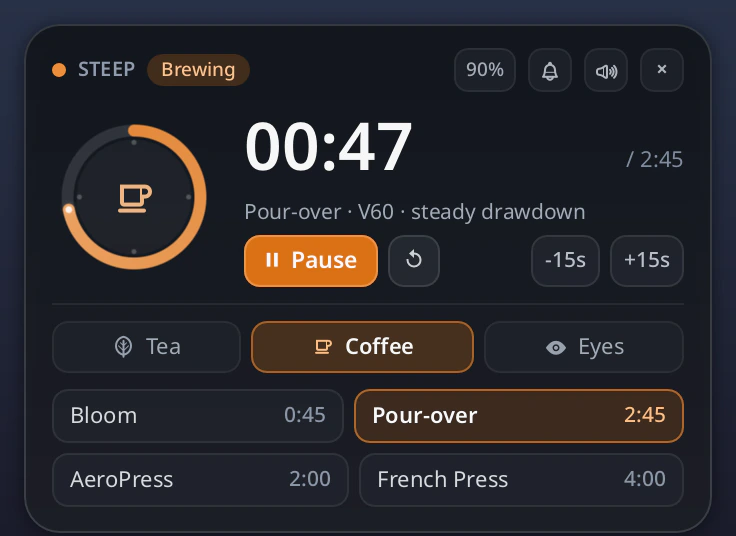
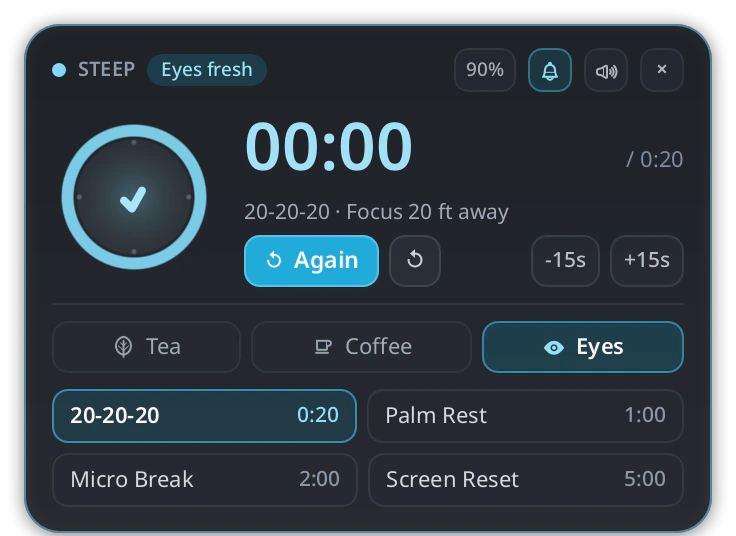
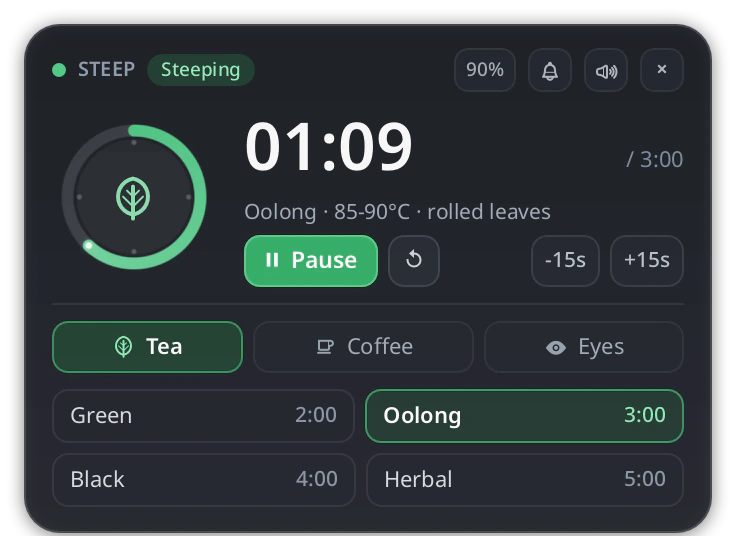
Steep HUD translucent floating tea timer overlay
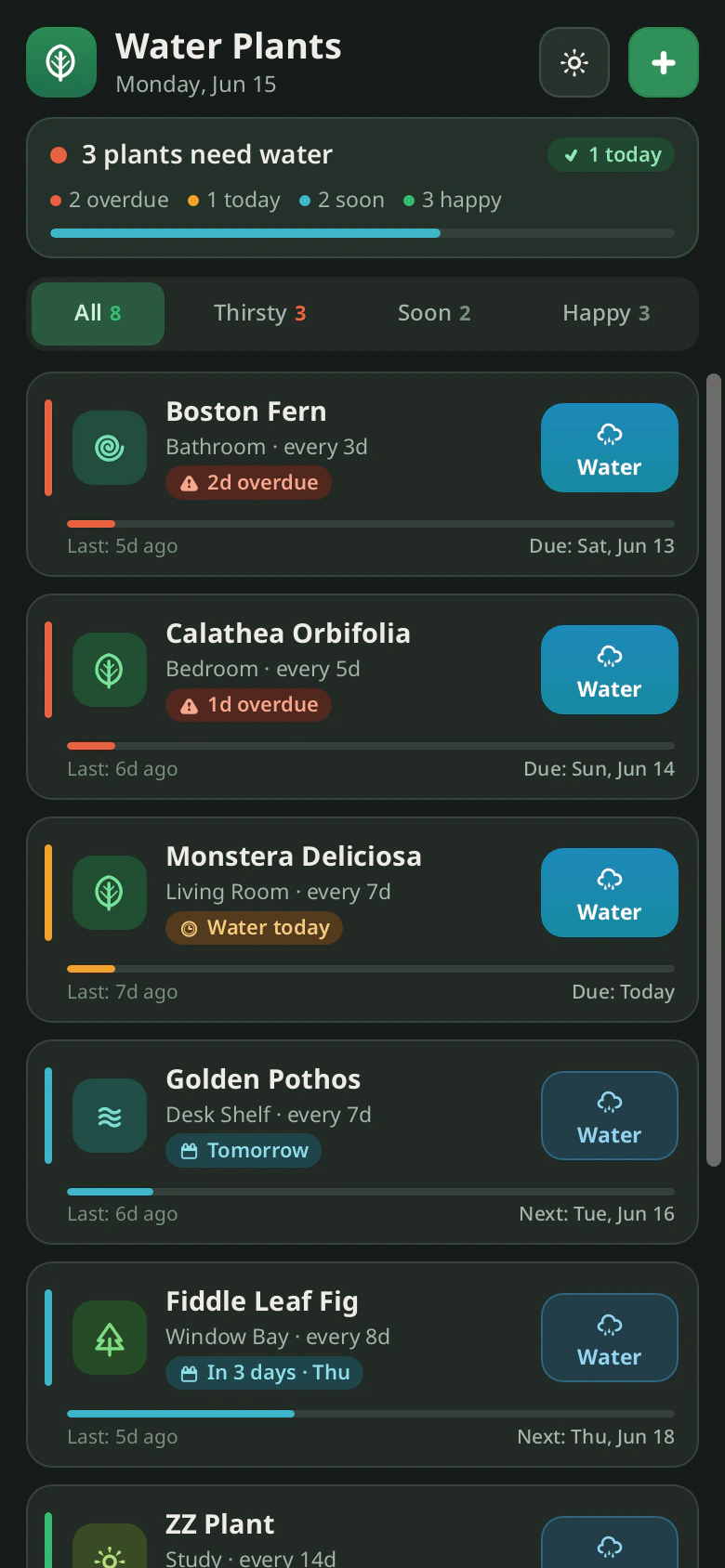
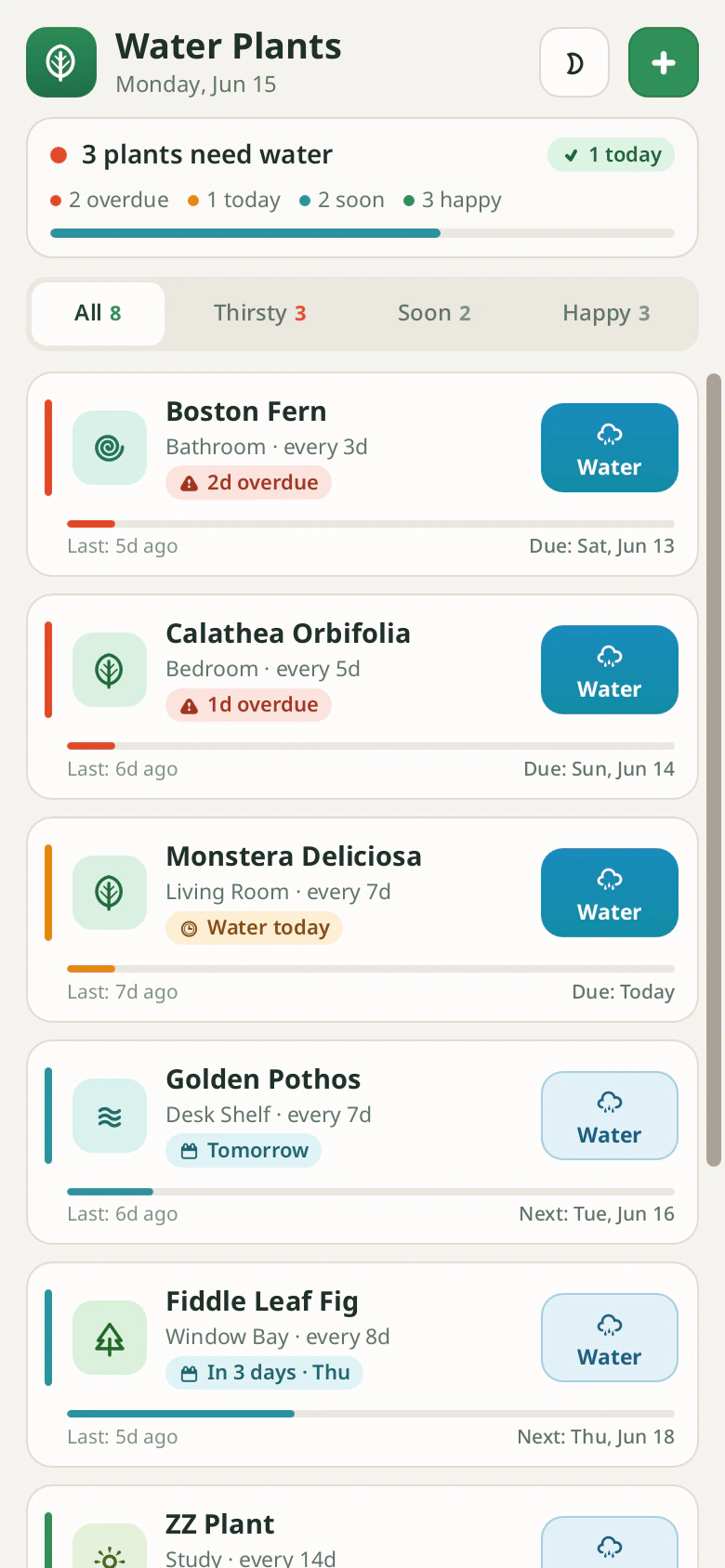
Water Plants mobile houseplant tracker
Desktop: Sunbelt Overlay: Steep HUD Phone: Water Plants — built in under 10 minutes each by Gemini 4 Neon
Examples

Built from one prompt, in under 10 minutes.

Here are some examples of small tools that were one-shotted by Gemini 4 Neon using a single prompt and Shirei’s agent manual.

Sunbelt Desktop utility

Prompt “Build a timezone overlap app that shows colored 24-hour day/night bars for several cities and lets me drag a vertical scrubber to compare local times at a glance.”
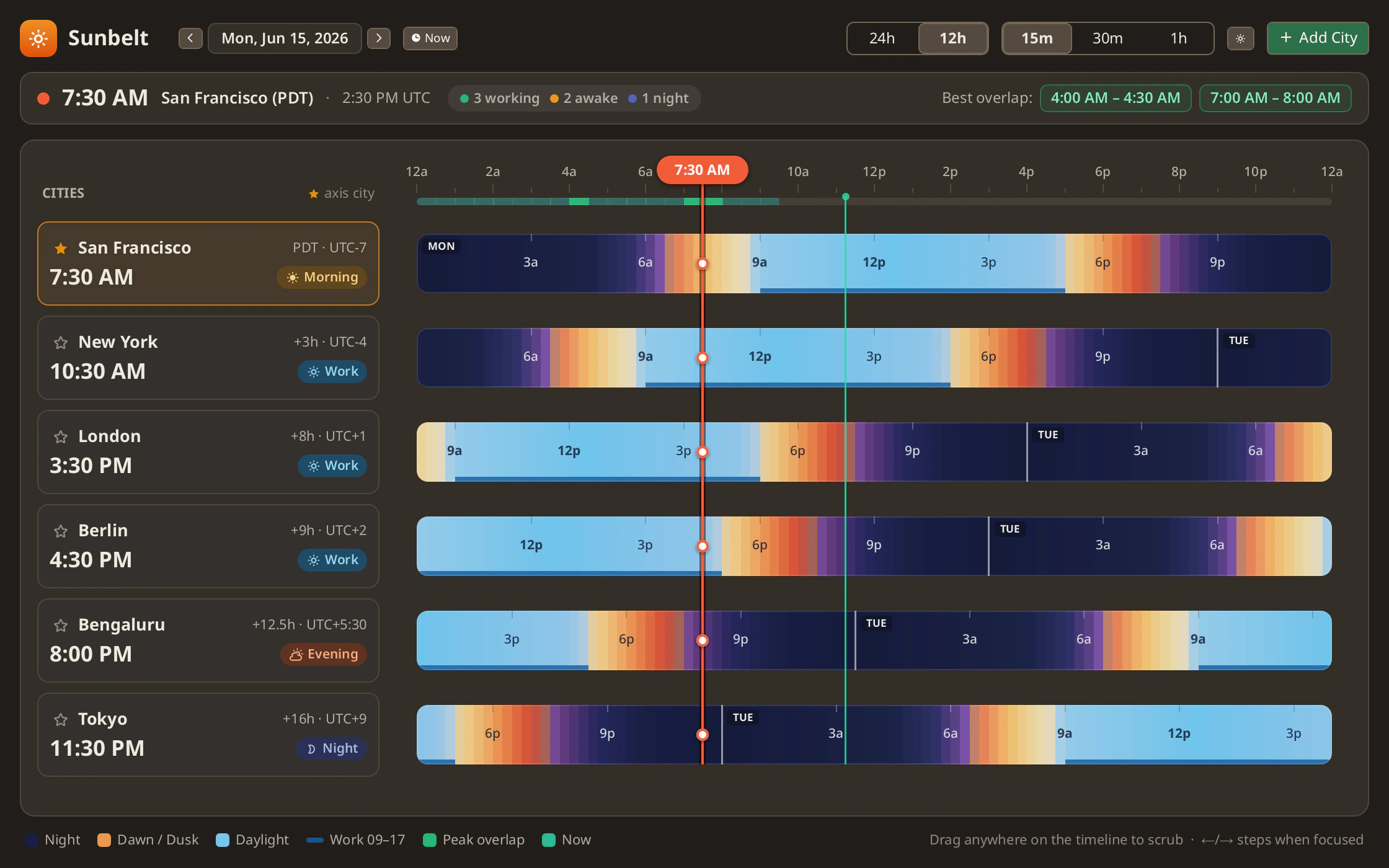
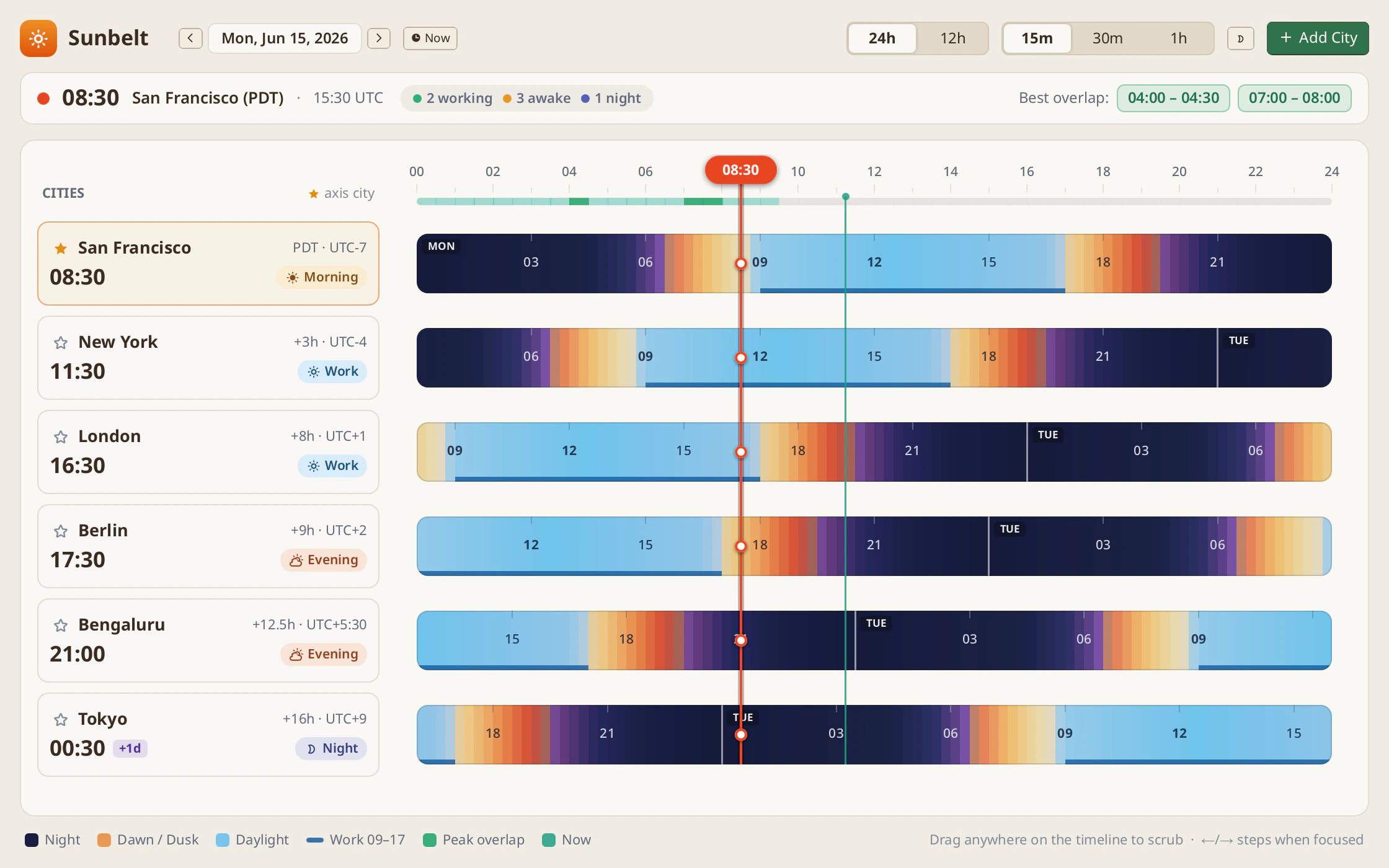
Sunbelt timezone overlap app in dark mode Sunbelt timezone overlap app in light mode
Steep HUD Floating overlay

Prompt “Build a tiny translucent floating overlay timer with quick presets for steeping tea, coffee, and short eye breaks that chimes softly when done.”

Steep HUD Tea mode transparent overlay Tea · Oolong (transparent window)
Steep HUD Coffee Pour-over overlay Coffee · Pour-over (over desktop)
Steep HUD Eyes 20-20-20 completed chime state Eyes · 20-20-20 (done + soft chime)
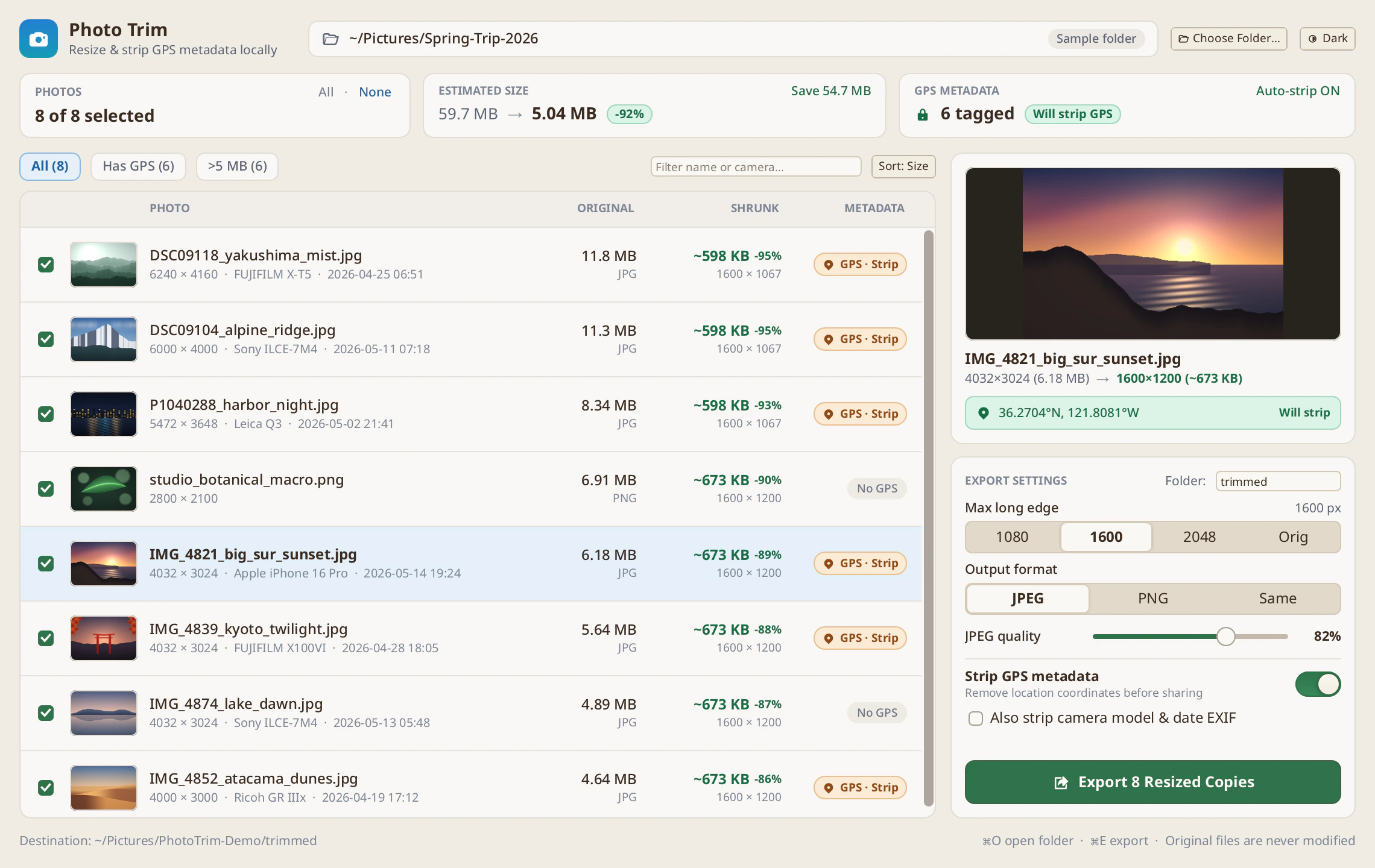
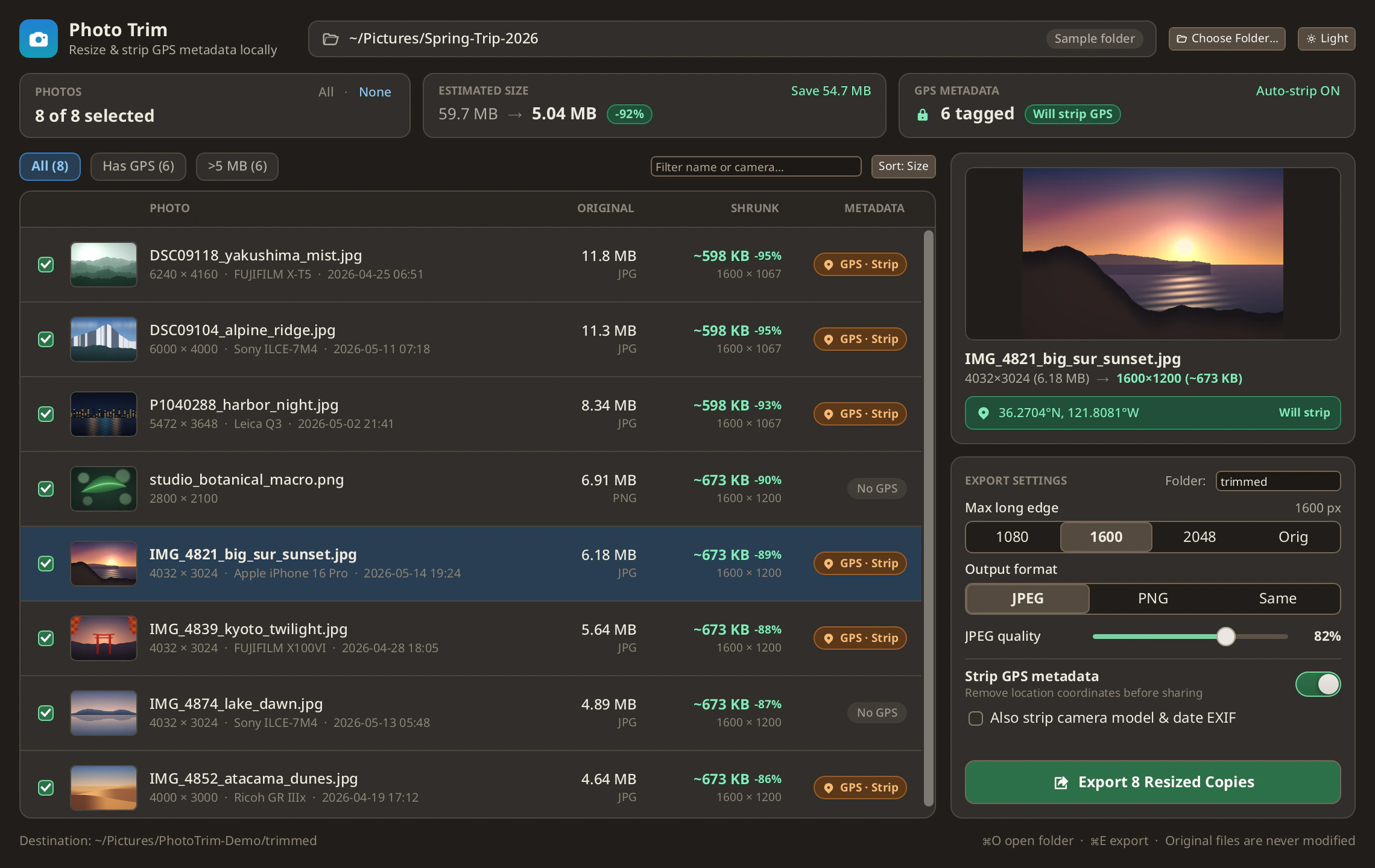
Photo Trim Local file utility

Prompt “Build a local photo shrinker where I can pick a folder of photos, see their sizes, strip GPS metadata, and export resized copies in one click.”

Photo Trim local photo shrinker in light mode Photo Trim local photo shrinker in dark mode
Water Plants Mobile app

Prompt “Build a mobile-friendly plant watering tracker that shows when each houseplant needs water next and lets me tap once when I water it.”

Personal tools on your phone, too

The same framework builds touch-friendly apps you can install onto your own iPhone or Android device, storing data in a simple local file with no account or subscription.

  • Sorted by urgency: plants move to the top as they come due, with moisture bars and next watering dates.
  • One tap to update: large Water buttons with an Undo option if you tap by mistake.
  • Light and dark themes: both included automatically.
  • Setup note: installing onto a phone requires Xcode (for iOS) or Android Studio (for Android) on your computer.
Water Plants mobile app in light mode
Water Plants mobile app in dark mode
Why Shirei

Practical for small tools you actually keep.

Even if you never look at the code yourself, the framework your agent uses still affects how fast tools build, how much disk and memory they take, and whether you can share them.

Small files & fast builds

Make lots of small tools without filling your drive.

Rust GUI frameworks often leave several gigabytes of build files behind for each project, and Electron packages a full browser inside every app. Shirei builds quickly into a ≈10 MB native app that starts right away, uses little memory, and doesn’t eat up your disk space.

Easy to share

Not locked to one operating system.

Your agent can build a tool in your own OS’s native framework (like SwiftUI on macOS or WinUI on Windows), but then you can’t share it with friends or coworkers on other platforms. Shirei builds native apps for macOS, Windows, Linux, iOS, and Android from the same project.

Built-in capabilities

The hard UI pieces are already there.

Agents get much better results in one pass when they don’t have to build basic UI machinery from scratch. Shirei comes with GPU rendering, flexible layout, light and dark themes, smooth scrolling for large lists, international text and IME, transparent overlays, and media support.

Agent verification

Your agent can check its own work.

Shirei lets an agent take headless screenshots to inspect the layout visually and run interaction checks in the background without moving your mouse or stealing window focus—so obvious bugs get fixed before you even open the app.

Alternative Strength Tradeoff for personal tools
OS-native toolkits (SwiftUI / WinUI) Fits right in on your current OS Tied to one platform—you can’t easily share the app with people running a different OS.
Rust GUI frameworks Fast native binaries Longer compile times and several gigabytes of build files per tool add up quickly on disk.
Electron / Web wrappers Familiar web stack for agents Large app bundles, high memory usage for small utilities, and heavy JavaScript dependencies.
Terminal UI / Localhost web page Quick to put together Either limited to text in a terminal, or running a local server inside a browser tab.
Shirei ≈10 MB native apps, quick builds, low resource usage, agent-friendly verification One small codebase that runs cleanly on desktop and mobile and is easy to share across platforms.
What’s built in

Mature pieces ready out of the box.

Shirei is not a toy widget kit. The things that usually trip up custom GUI frameworks—international text, media, overlays, and large data—are already part of the framework.

International text & editing

Uses your system fonts, supports complex scripts, bidirectional text, East Asian IME input, furigana annotations, and a built-in multi-line document editor.

Images, audio & video

Handles crisp image display and resizing, synthesized or played audio, and local video playback on macOS, Windows, and Linux desktops.

Flexible window shapes

Supports multiple native windows, floating tool palettes, translucent desktop overlays, non-intrusive notifications, and background apps.

Smooth with large data

GPU-accelerated by default (with automatic software fallback), virtualized lists and tables for tens of thousands of rows, drag-and-drop, and light/dark themes.

Desktop & mobile

Runs natively on macOS, Windows, Linux (Wayland and X11), iOS, and Android, with desktop cross-compilation built in.

Headless & live testing

Renders deterministic screenshots without opening a window and supports quiet automated interaction tests so agents can verify their work cleanly.

Larger programs

Also handles bigger daily tools.

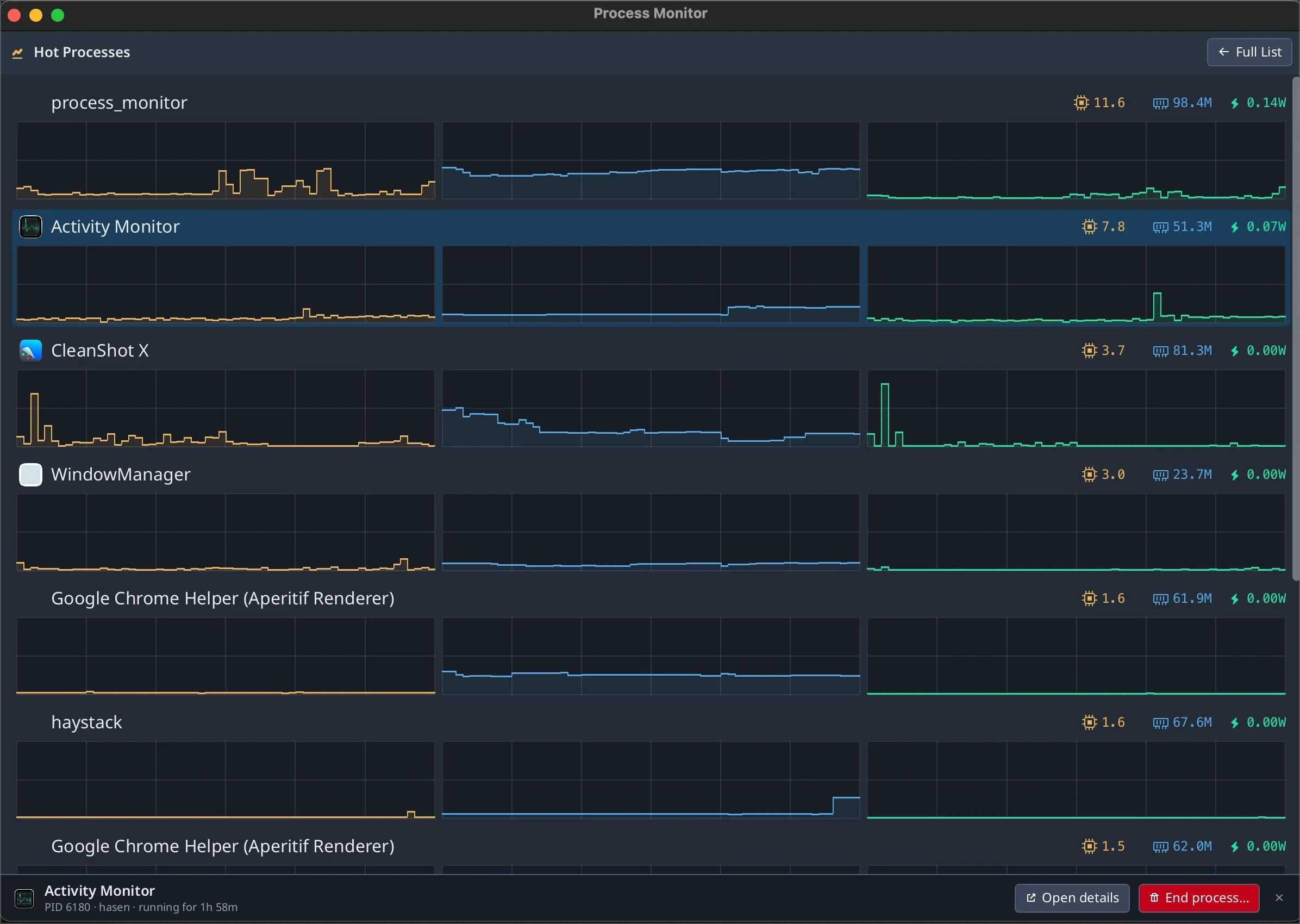
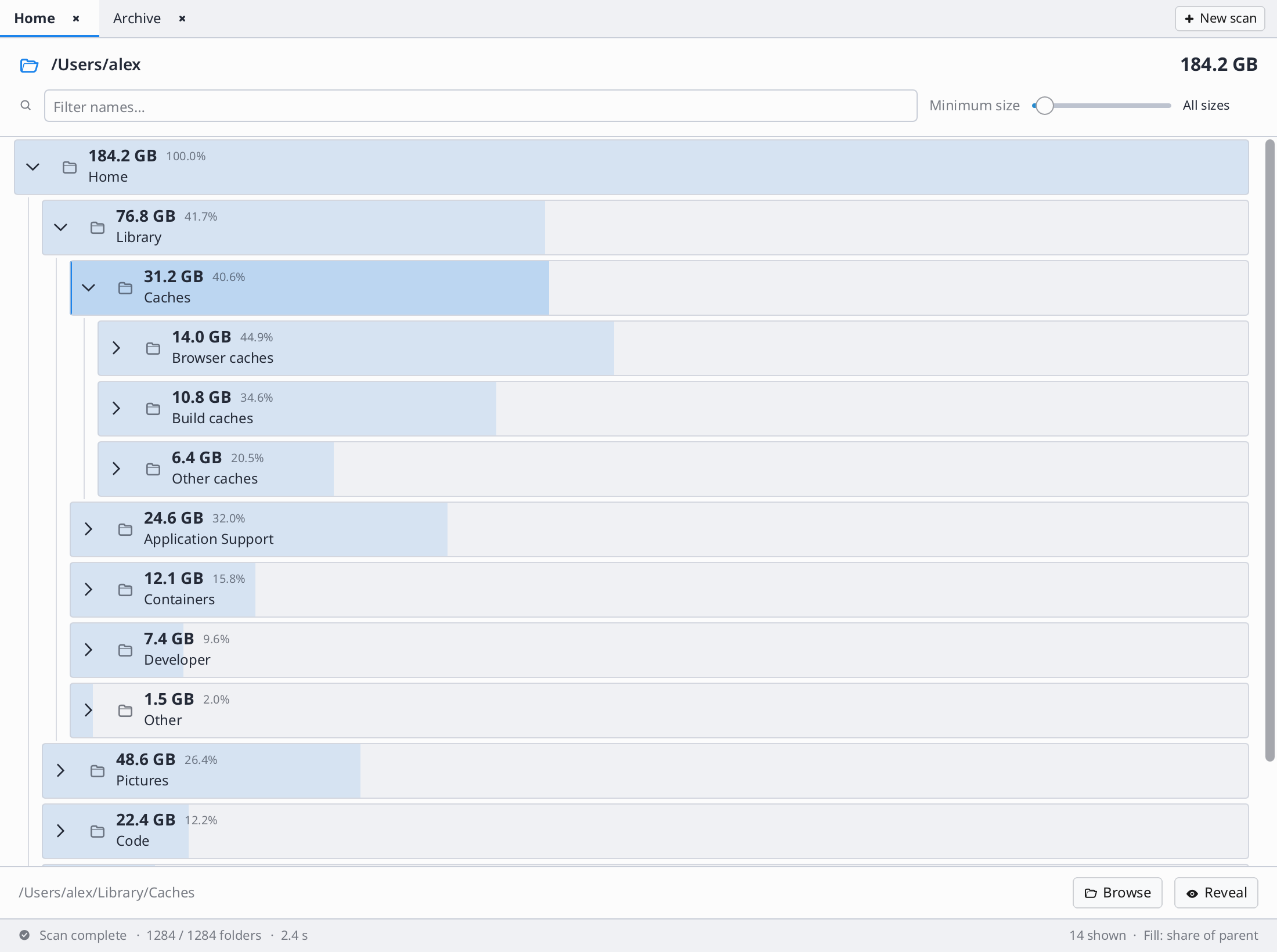
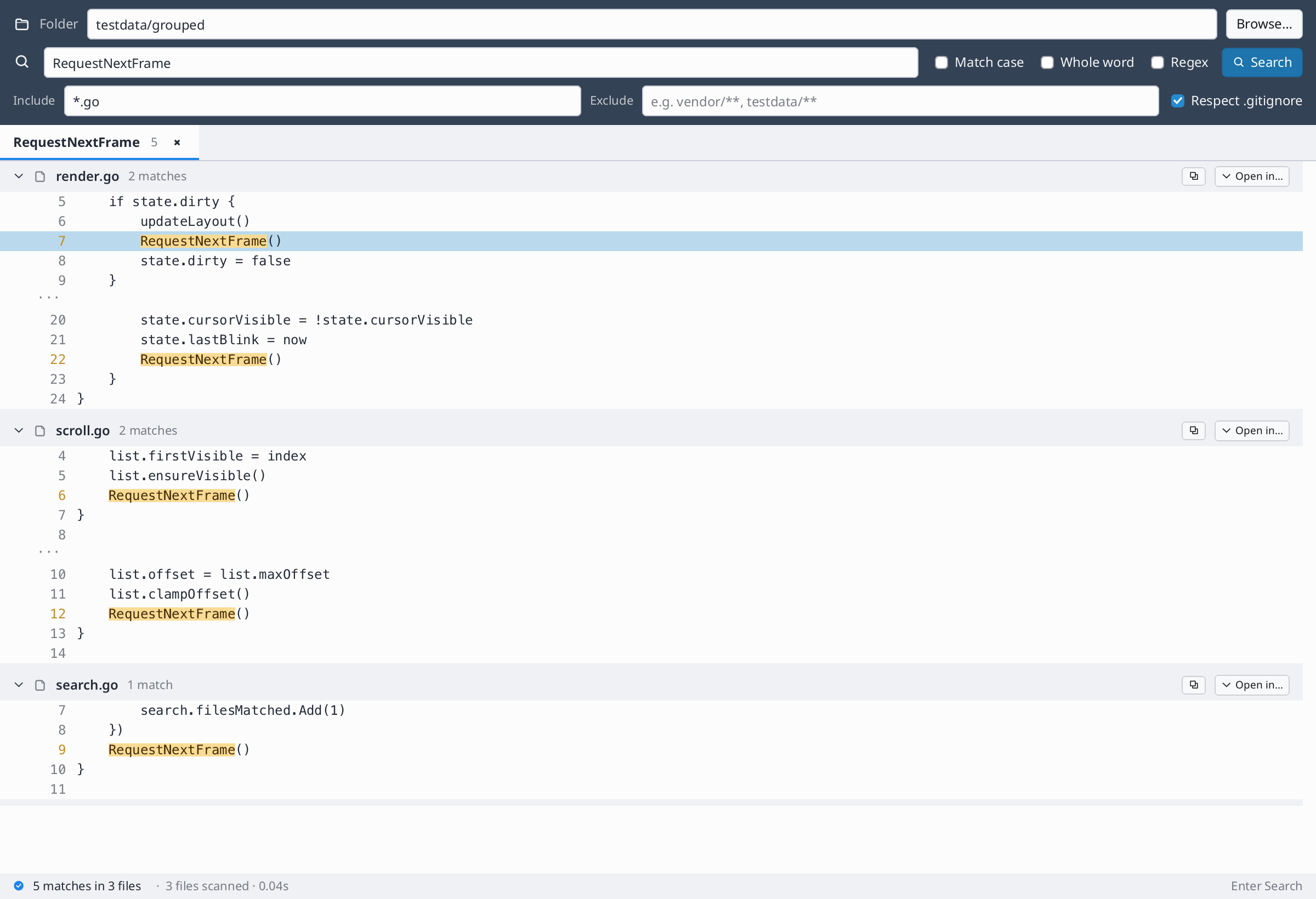
If a small tool grows into something more involved, Shirei handles larger desktop programs too—with live charts, fast file search, and multi-tab editing.

Getting started

Point your agent at the manual.

Give Claude Code, Codex, Gemini, or another coding agent the link to judi.systems/shirei/agents.md and describe what you want to build. With Go installed on your computer, the agent can handle the rest.

Starter prompt
I would like to build a personal GUI tool in Go using the Shirei framework.
Read the manual at https://judi.systems/shirei/agents.md before writing code.

<describe what you want to build>

1 · Describe what you want

A plain sentence or two about what the tool should do is enough to get a working first version.

2 · Let the agent build and check it

The agent reads agents.md, compiles the app quickly, checks screenshots for visual issues, and tests interactions in the background.

3 · Keep it or share it

Use the binary directly, ask your agent to package a copy for someone on another OS, or install it onto your phone.

Like the direction Shirei is taking?

Shirei is open source. If this looks useful, a star on GitHub helps me know people want more of it.